Complete in-store operations
Sell, deduct stock, invoice — one system
Stok24 combines POS, inventory, reports, and customers for retail shops that want one source of truth — not spreadsheets across tools.
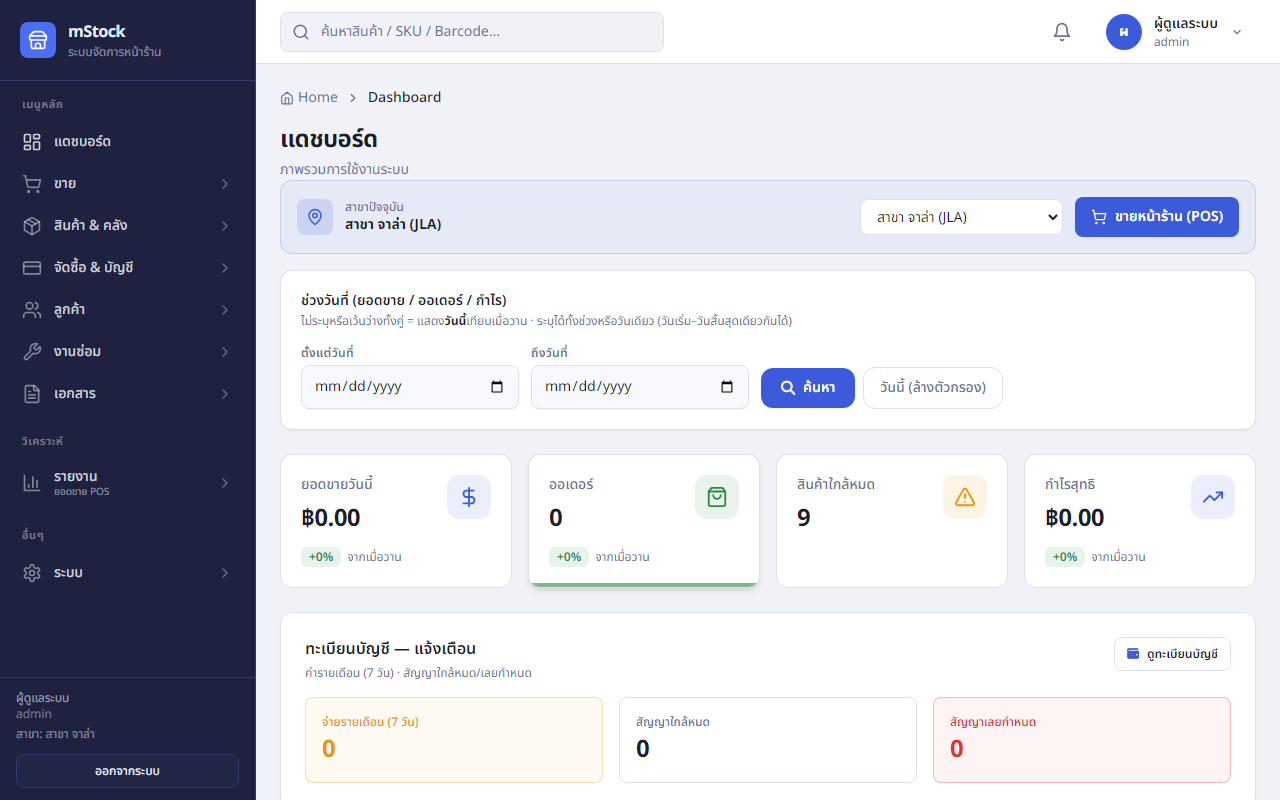 From the real product
Preparing your experience…
Complete in-store operations
Stok24 combines POS, inventory, reports, and customers for retail shops that want one source of truth — not spreadsheets across tools.
From the real product
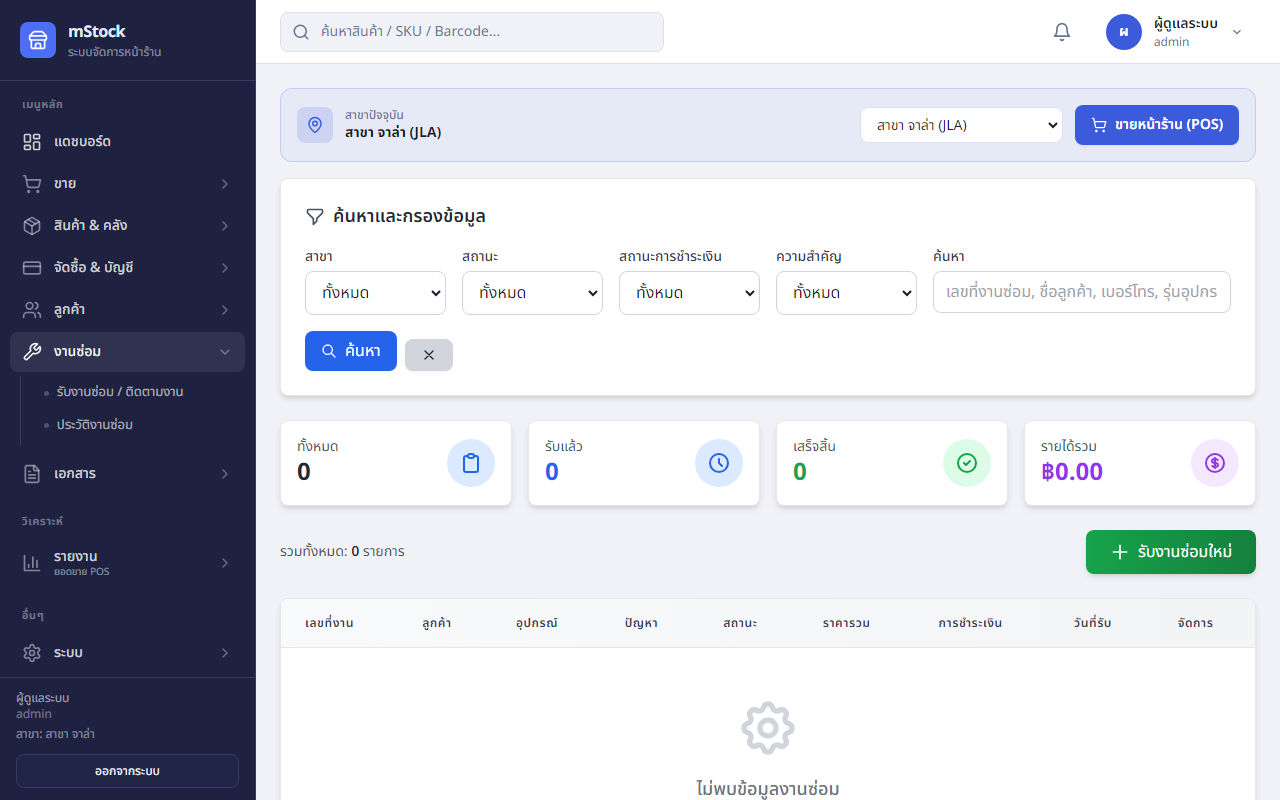
Repair centre / phone shop
Open a job, pull parts from stock, update status, print job sheet, close the bill when the customer picks up — tied to real inventory.
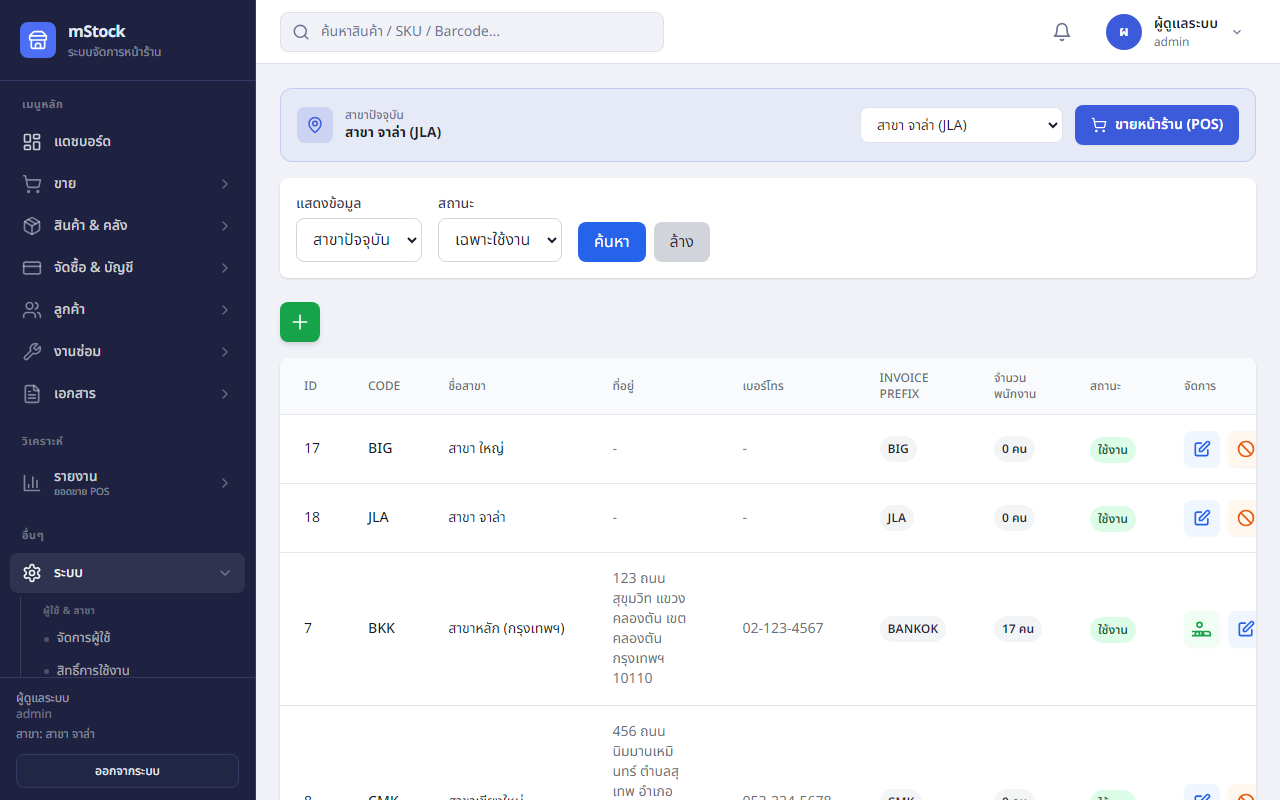
Multi-branch · fine permissions
Menu- and button-level permissions, Telegram alerts for critical events, backup and restore (Business plan and up).
Built for retail in Thailand — install on your own server
A store operations platform — not just POS: inventory, repairs, sales documents, AR/AP, and multi-branch settings. For shops that want control on their own database (MAMP / VPS) or managed hosting from us.
Search products, scan barcodes, discounts, hold bills, multiple payment methods — stock updates on sale.
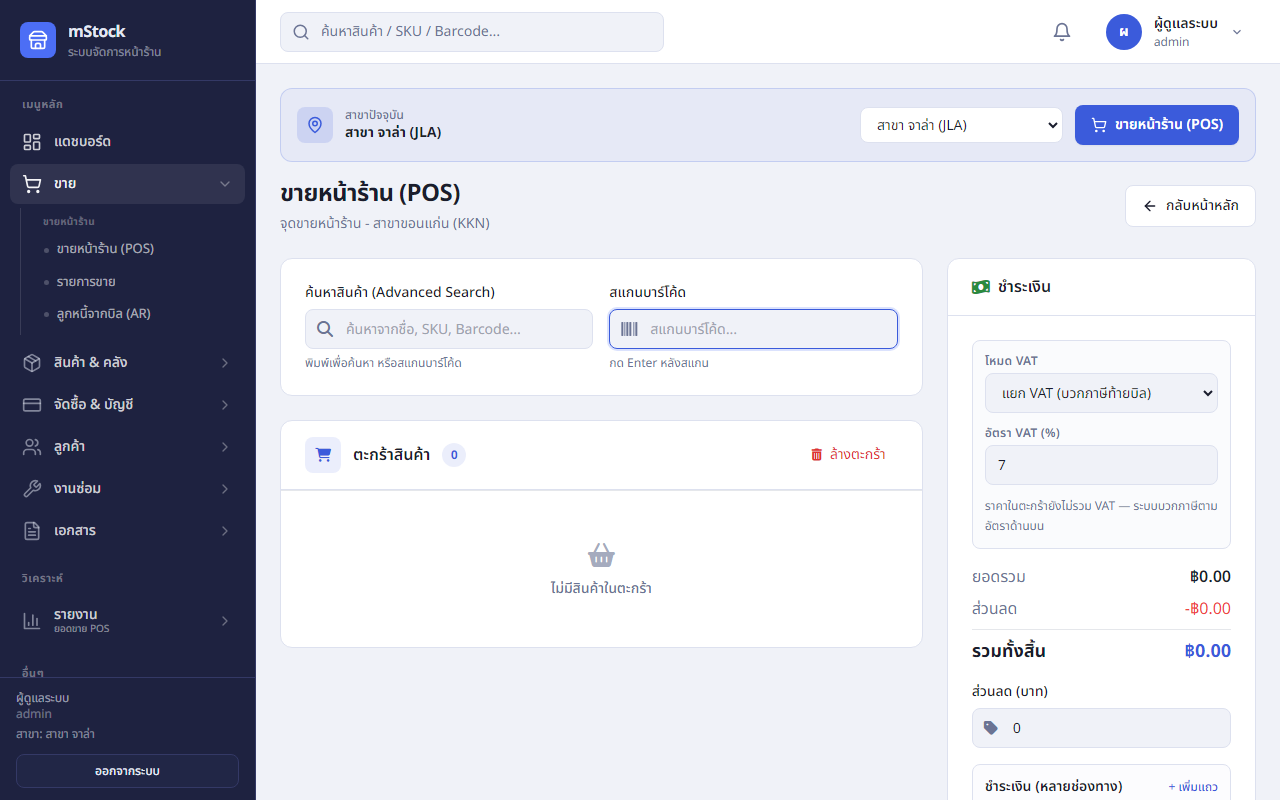
POS · scan · cart · pay
Receive, adjust, transfer between branches, all-branch balances, low-stock alerts.
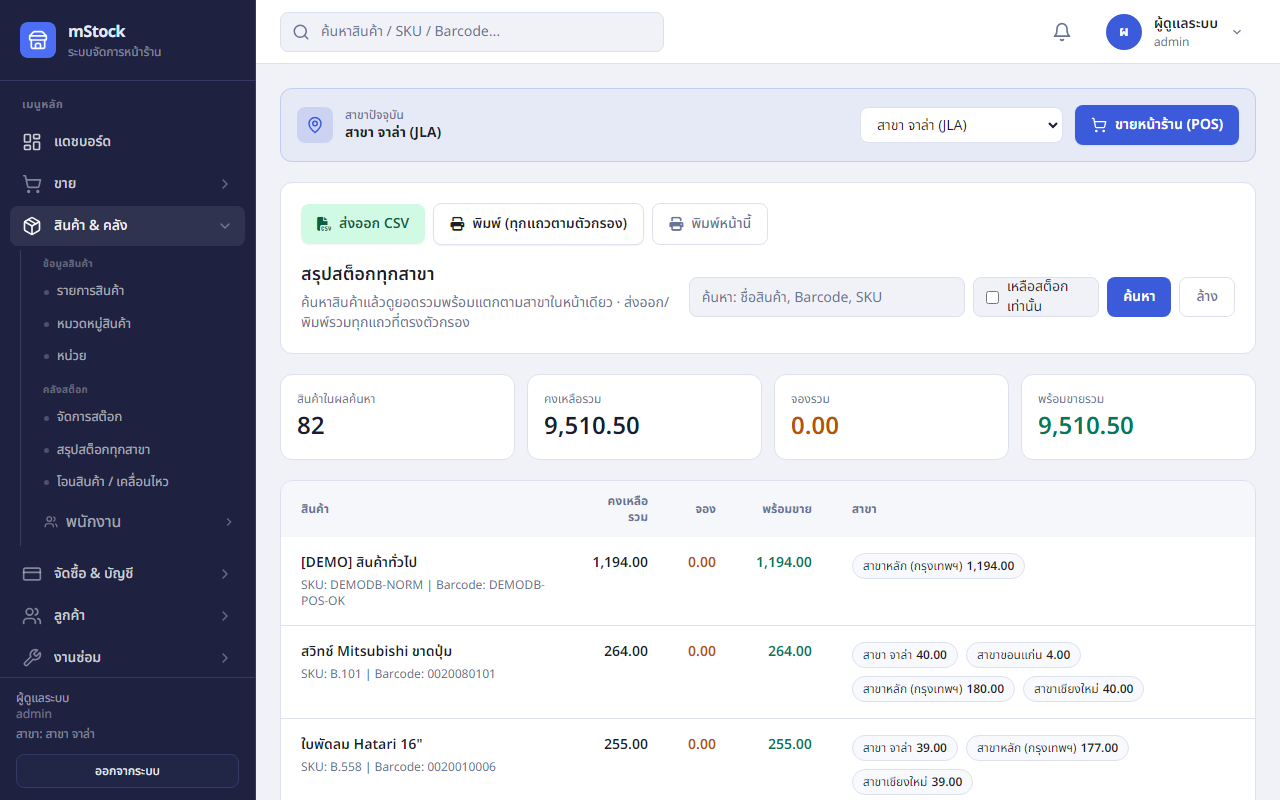
Warehouse · movement history
Quotation, billing note, tax invoice, receipt — VAT snapshot locked after issue.
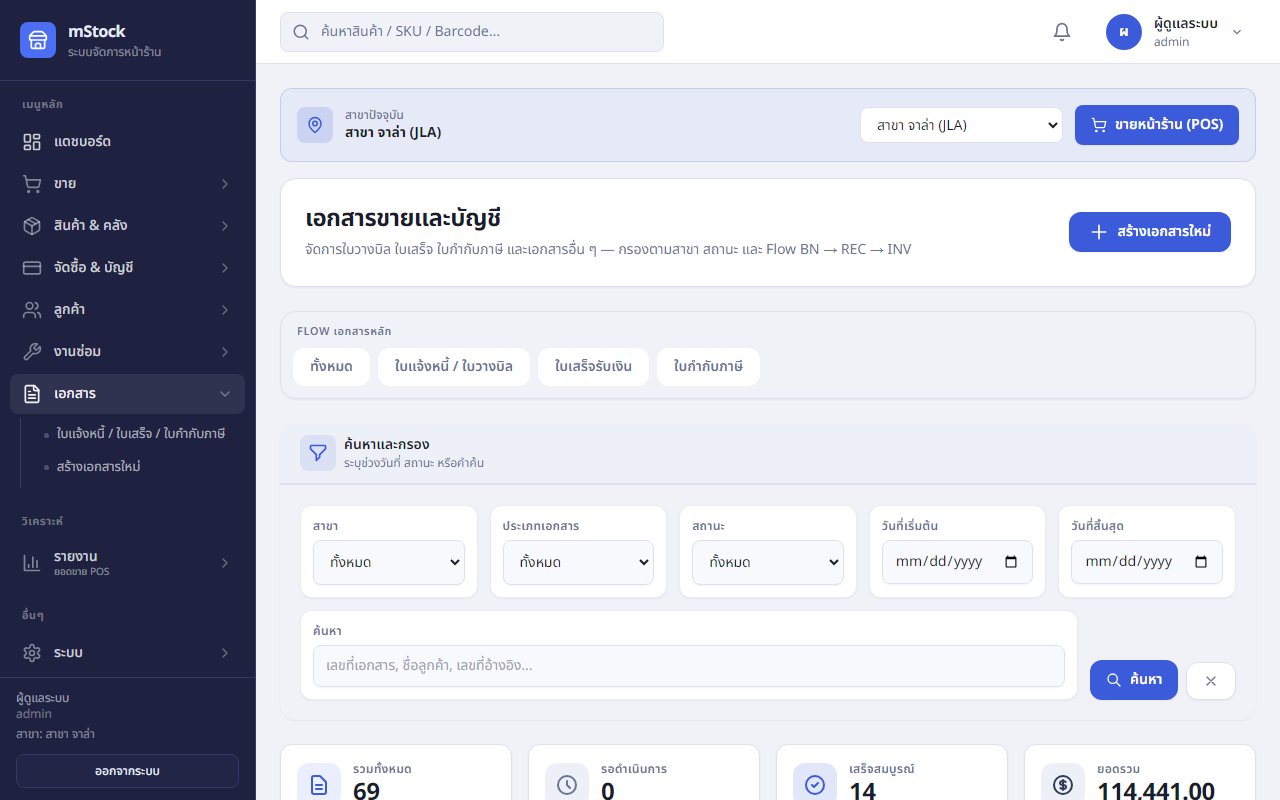
100+ RBAC permissions, per-branch toggles, audit log, Telegram alerts, backup/ops.
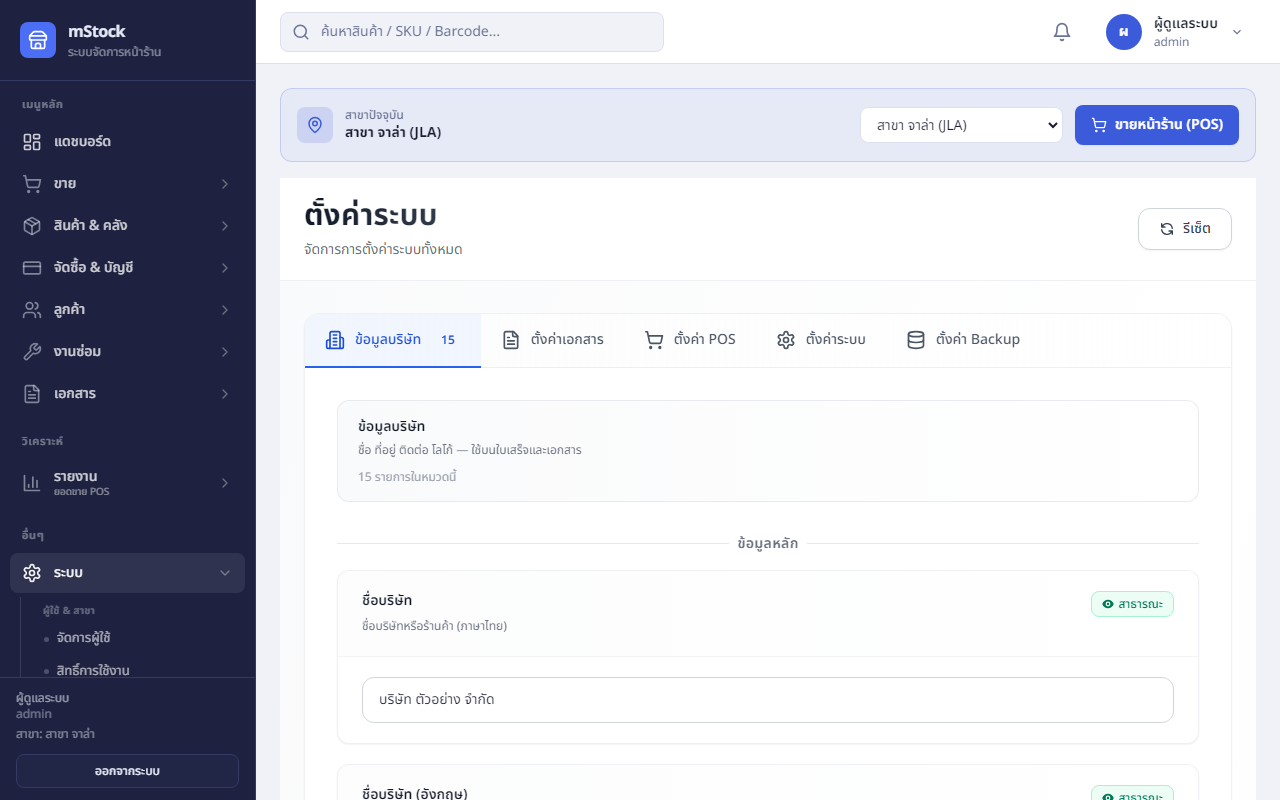
Self-hosted on your server — for stores that don't rely on marketplace tools alone.
Unlike omnichannel platforms focused on marketplaces — Stok24 focuses on in-store retail, repairs, and in-house documents.
POS, stock, bills, daily sales reports
Jobs, parts, payments, workflow
Separate stock, transfers, per-branch rights
AR from bills, shop-standard tax invoices
Usage examples (not paid testimonials) — to picture the product before you trial.
Phone shop, 2 branches
Transfer stock from the main branch to the mall branch, then see separate monthly sales — no manual Excel merge.Modules: stock · branches · reports
Repair centre
Open a repair job, pull parts from warehouse, close and bill when done — stock matches parts actually used.Modules: repair · POS · stock
Credit sales
Sell on terms or billing notes, track AR from the original bill, aging and partial payments.Modules: AR · documents · customers
Transparency from the dev team — specs and roadmap in the repo.
Full Starter plan · up to 500 bills · Setup ฿4,900 includes import + 2h training
Submit the form — we save your request and reply within 1–2 business days.
See install guide · leads config in config.site.php

